> For the complete documentation index, see [llms.txt](https://docs.valantis.xyz/llms.txt). Markdown versions of documentation pages are available by appending `.md` to page URLs; this page is available as [Markdown](https://docs.valantis.xyz/stakedhype/restaking/how-to-restake.md).

# How to Restake

Deposit stHYPE, track your restaking rewards, and withdraw when you are ready.

Restake stHYPE to earn a share of the rewards committed to the restaking pool alongside your base staking yield. One deposit gives you a position in the shared pool; you do not need to select individual deployers.

The tradeoff is access to your funds: withdrawing requires a 14-day cooldown, followed by a separate claim.

## Before you start

* **Have stHYPE on HyperEVM**, plus a little HYPE for network fees. Need stHYPE? [Stake HYPE in the app](https://app.valantis.xyz/staking), or follow the [buying and staking guide](/resources/get-hype-on-hyperevm.md).
* **Plan for a 14-day cooldown.** It starts when you request a withdrawal, not when you deposit.
* **Know what changes.** Your validator stays the same, but restaked stHYPE does not count toward your Prime Trading discount. Yield is variable, and restaking adds liquidity risk.
* **Review contract security.** Read the [stHYPE Restaking Audit](https://github.com/ValantisLabs/audits/blob/main/stakedhypeescrow-security-review-2026-10-18.pdf).
* **Allow for wallet confirmations.** The deposit flow includes two wallet transactions. There is no deposit or withdrawal fee; network fees still apply.

{% hint style="info" %}
The screenshots are interface previews. Amounts, APYs, and dates are examples; check the terms displayed in the app before confirming.
{% endhint %}

## Restake your stHYPE

### 1. Enter your amount

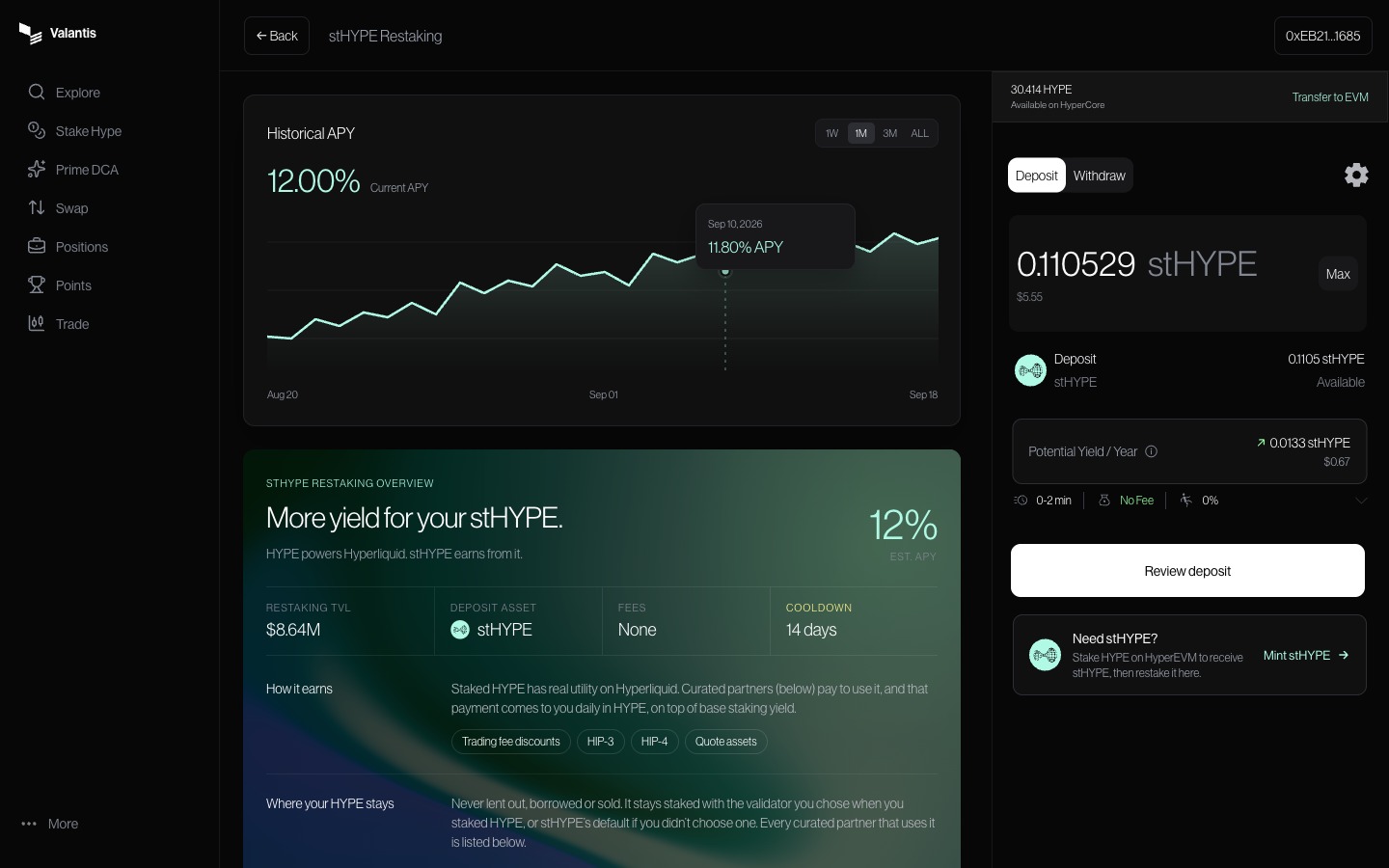
Open [stHYPE Restaking](https://app.valantis.xyz/restaking), connect your wallet on HyperEVM, and select **Deposit**. Enter an amount of stHYPE, or select **Max** to use your available stHYPE balance.

**Potential Yield / Year** estimates your deposit multiplied by the current annual percentage yield (APY). It is a projection, not a promised return. Select **Review deposit** to continue.

<figure><img src="https://986147118-files.gitbook.io/~/files/v0/b/gitbook-x-prod.appspot.com/o/spaces%2F1hNJeG4CApeBcE2NlR61%2Fuploads%2Fgit-blob-73261175a486651d53eb67f2563bf5494d7f526b%2F02-deposit-enter-amount.jpg?alt=media" alt="Deposit tab with the stHYPE amount field, Max option, annual yield estimate, and Review deposit button."><figcaption><p>Enter the amount you want to restake and review its estimated yield.</p></figcaption></figure>

### 2. Review and confirm

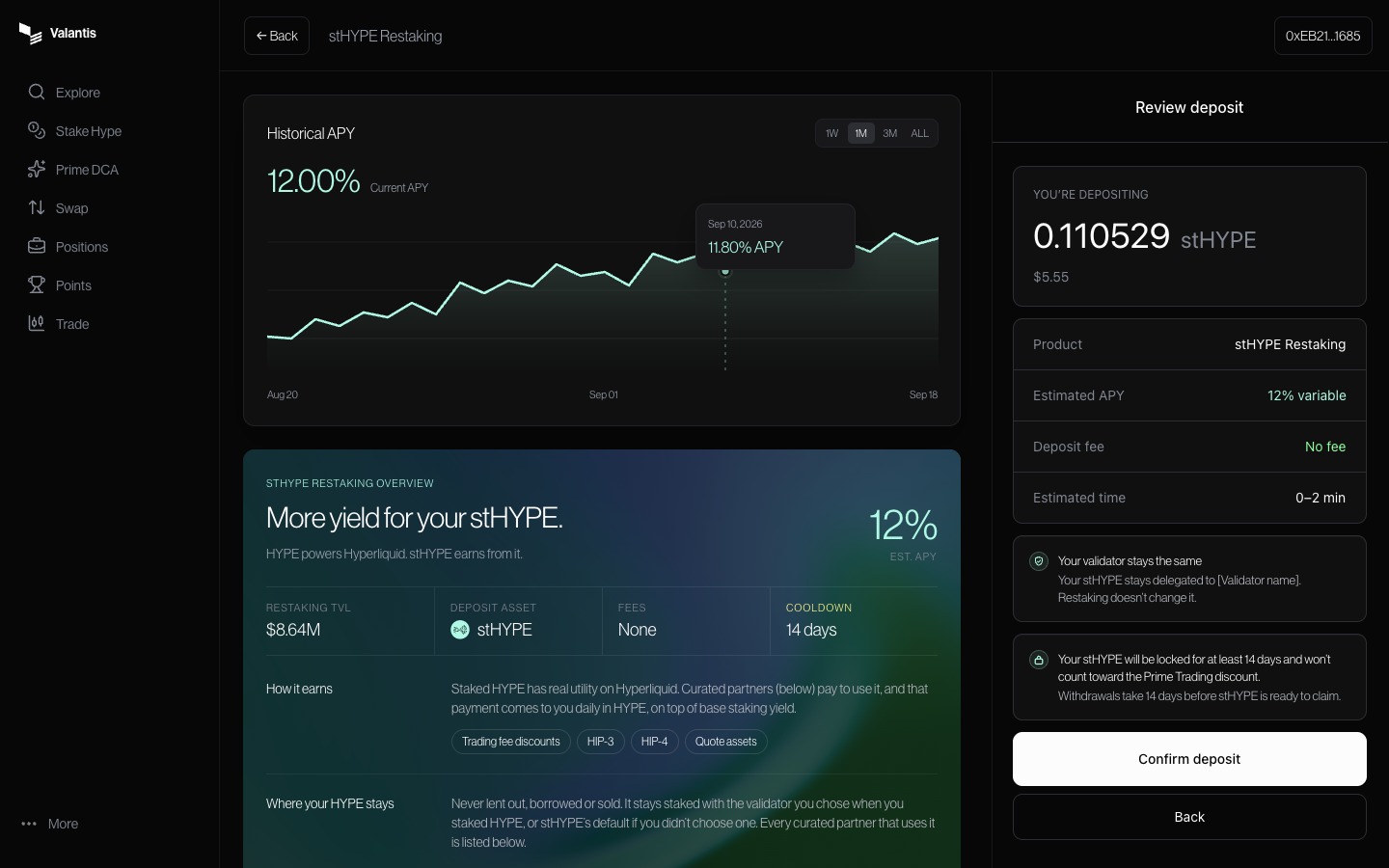
Check your amount, estimated APY, fees, and withdrawal terms. Select **Confirm deposit**, then review and confirm the transactions in your wallet.

Wait for **Deposit successful** before moving on. Your deposited stHYPE now participates in the pool’s committed rewards alongside base staking yield.

<figure><img src="https://986147118-files.gitbook.io/~/files/v0/b/gitbook-x-prod.appspot.com/o/spaces%2F1hNJeG4CApeBcE2NlR61%2Fuploads%2Fgit-blob-2796204be0ff20857b8c962b94a04ba89d71868c%2F04-deposit-review.jpg?alt=media" alt="Review deposit panel showing the amount, variable APY, fee, unchanged validator, withdrawal commitment, and Confirm deposit button."><figcaption><p>Read the withdrawal and Prime Trading discount terms before confirming.</p></figcaption></figure>

### 3. Find your position

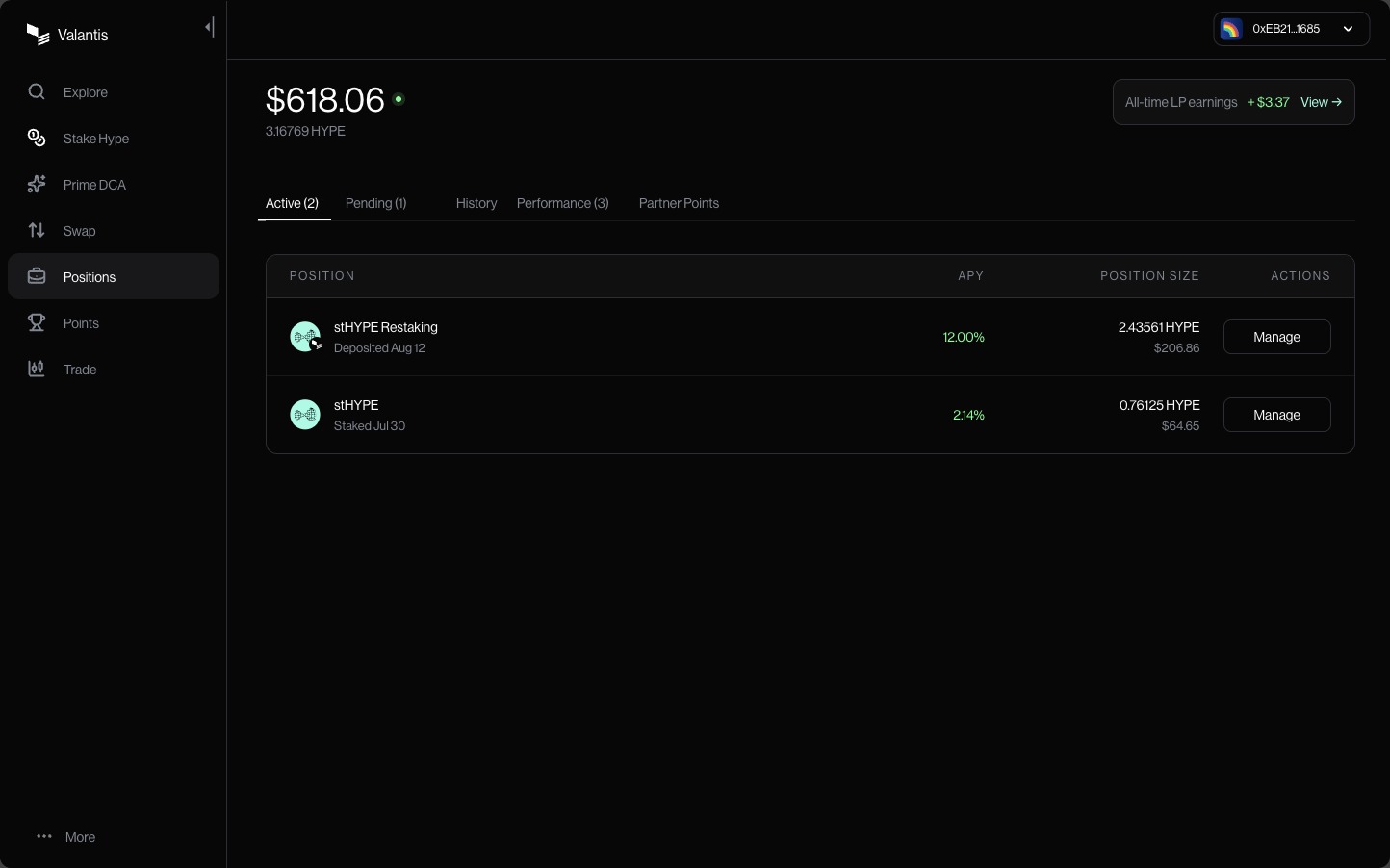
Open **Positions**, then **Active**. Look for **stHYPE Restaking** to see your position and its current APY. Select **Manage** when you want to make changes.

<figure><img src="https://986147118-files.gitbook.io/~/files/v0/b/gitbook-x-prod.appspot.com/o/spaces%2F1hNJeG4CApeBcE2NlR61%2Fuploads%2Fgit-blob-09c589e98064017e47ff85e1fad8a54b90aa548e%2F06-positions-active.jpg?alt=media" alt="Positions page with Active selected and a stHYPE Restaking row showing APY, position size, and Manage."><figcaption><p>Your restaking position appears under Active.</p></figcaption></figure>

## Withdraw your stHYPE

Withdrawing has three stages: **request, wait, claim**. You receive stHYPE. It is not sent to your wallet automatically when the cooldown ends.

### 1. Request a withdrawal

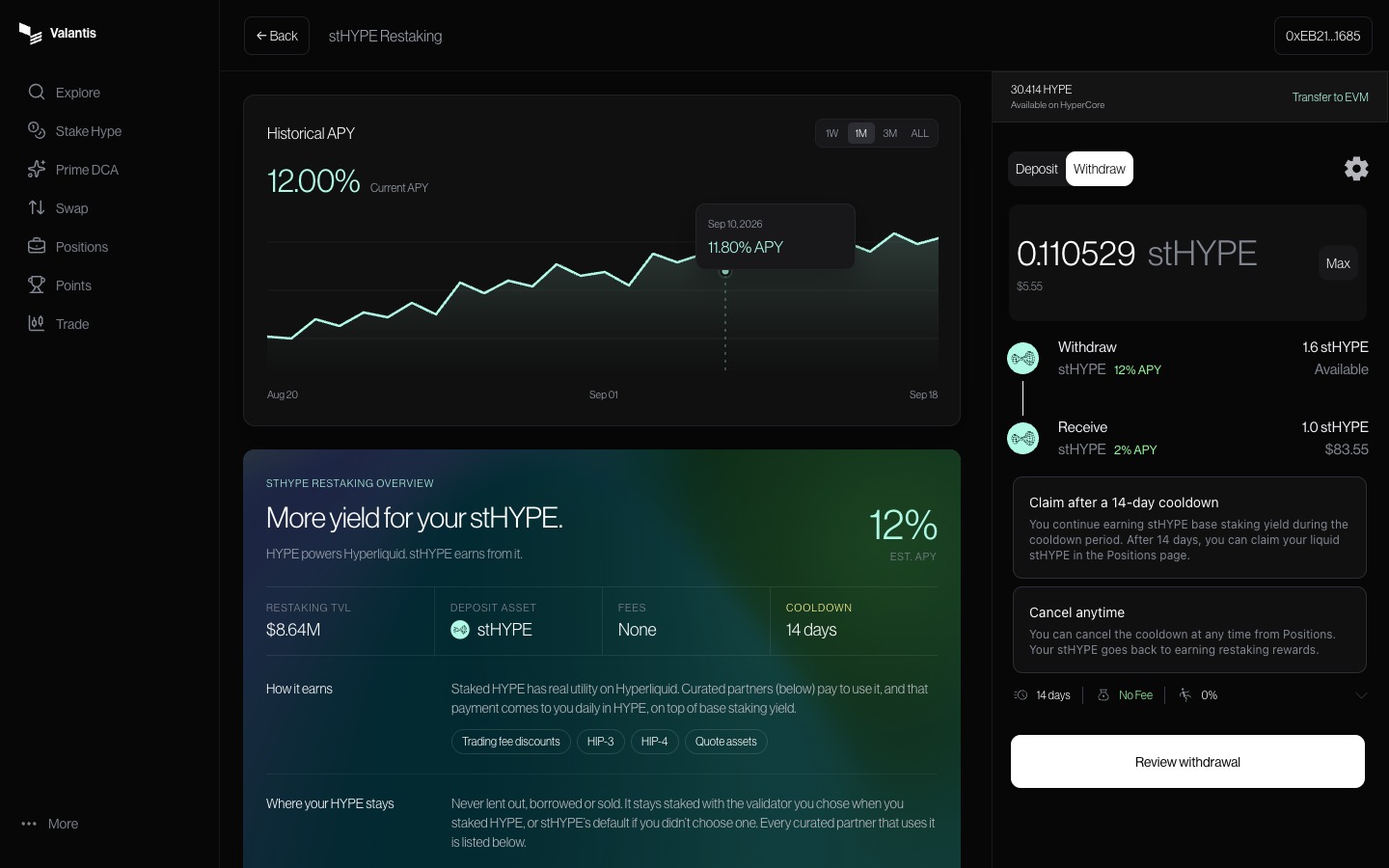
On the stHYPE Restaking page, select **Withdraw**. Enter the amount you want to withdraw, then select **Review withdrawal**. You can withdraw part of your position.

<figure><img src="https://986147118-files.gitbook.io/~/files/v0/b/gitbook-x-prod.appspot.com/o/spaces%2F1hNJeG4CApeBcE2NlR61%2Fuploads%2Fgit-blob-0165463b352fbcb2d34584e2fac3dcee31a9d49b%2F08-withdraw-enter-amount.jpg?alt=media" alt="Withdraw tab with an amount field, cooldown explanation, cancellation information, and Review withdrawal button."><figcaption><p>Choose how much stHYPE to withdraw.</p></figcaption></figure>

### 2. Start the 14-day cooldown

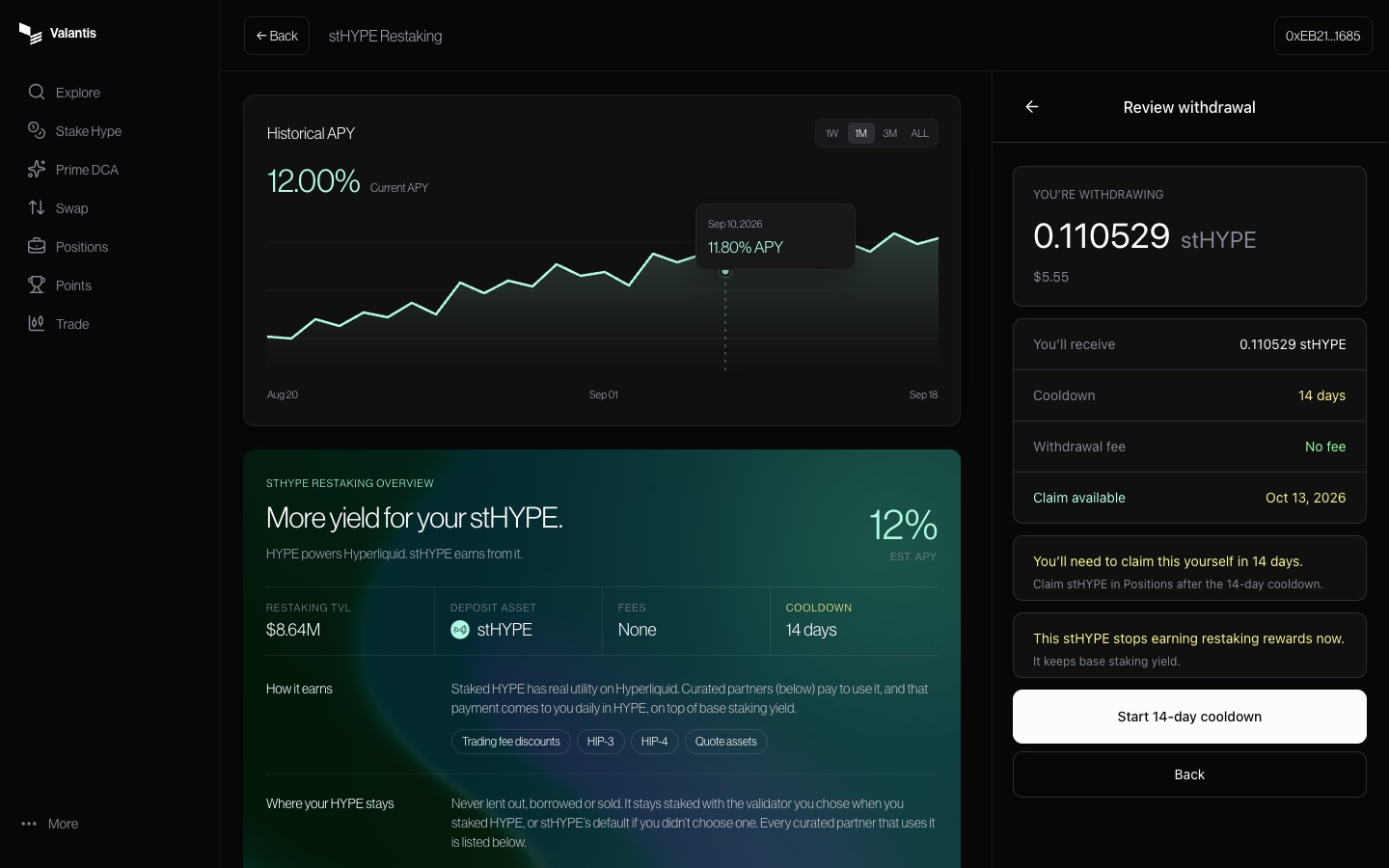
Check the amount and **Claim available** date. Select **Start 14-day cooldown** and confirm the transaction in your wallet.

Once the request is confirmed, that amount stops earning restaking rewards but keeps earning base staking yield. Any amount you leave in the active position continues earning restaking rewards.

<figure><img src="https://986147118-files.gitbook.io/~/files/v0/b/gitbook-x-prod.appspot.com/o/spaces%2F1hNJeG4CApeBcE2NlR61%2Fuploads%2Fgit-blob-405ab28f5bf4a6625bd8263441f4805d02b83709%2F09-withdraw-review.jpg?alt=media" alt="Review withdrawal panel with the amount, cooldown, claim date, and button to start the cooldown."><figcaption><p>Note your claim date: you will need to return to claim.</p></figcaption></figure>

### 3. Claim after 14 days

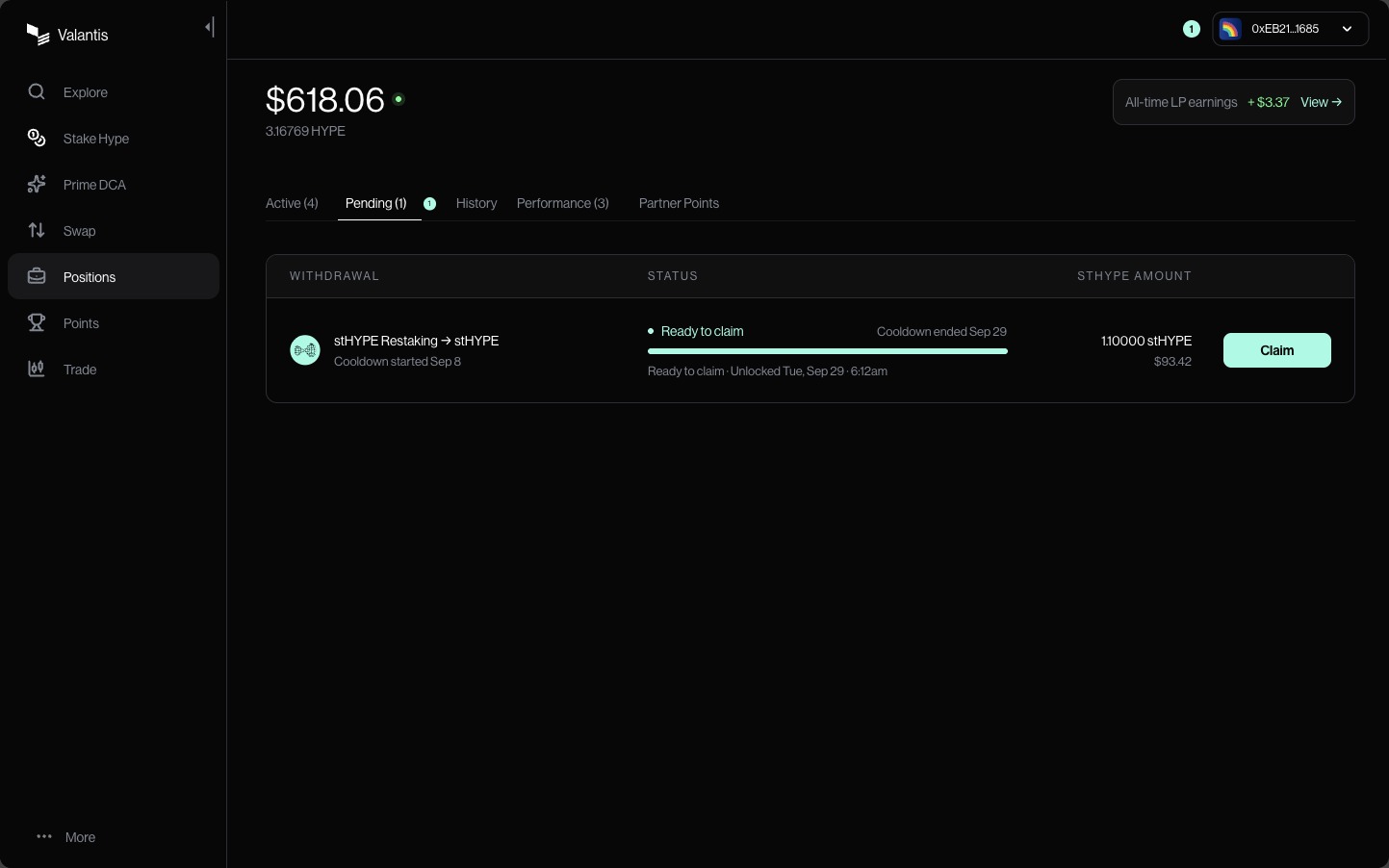
Open **Positions**, then **Pending**. When your withdrawal shows **Ready to claim**, select **Claim** and confirm in your wallet. Wait for the confirmation that your stHYPE is back in your wallet.

<figure><img src="https://986147118-files.gitbook.io/~/files/v0/b/gitbook-x-prod.appspot.com/o/spaces%2F1hNJeG4CApeBcE2NlR61%2Fuploads%2Fgit-blob-fe2103676e3d5522c4d72e83170afd8812c09bba%2F11-claim-ready.jpg?alt=media" alt="Pending tab with a stHYPE Restaking withdrawal marked Ready to claim and a Claim button."><figcaption><p>Claim returns the withdrawn stHYPE to your wallet.</p></figcaption></figure>

### Changed your mind?

Before the cooldown ends, open **Positions**, find the pending withdrawal, and select **Manage → Cancel withdrawal**. Review the cancellation and confirm in your wallet. The amount returns to your restaking position and resumes earning restaking rewards.

After the cooldown ends, claim your stHYPE and deposit it again to restake.

<figure><img src="https://986147118-files.gitbook.io/~/files/v0/b/gitbook-x-prod.appspot.com/o/spaces%2F1hNJeG4CApeBcE2NlR61%2Fuploads%2Fgit-blob-a6c465d5c9cc5839a3253ebad52e4fa101bc64d0%2F13-cancel-withdrawal.jpg?alt=media" alt="Cancel withdrawal dialog showing the amount returning to the restaking position, network fee, and Cancel withdrawal button."><figcaption><p>Cancelling returns the amount to your active position.</p></figcaption></figure>

## Want HYPE back?

Once you have claimed your stHYPE, you can swap it for HYPE at the available market rate or [unstake it](/stakedhype/stake-accounts.md#withdrawals). Ordinary unstaking targets about seven days in normal conditions, in addition to the restaking cooldown. It can take longer when stake must be recovered from deployers.

Cooldown changes and protocol pauses can affect when withdrawals become claimable.